
- กรกฎาคม 22, 2568
- 0 Comments
วิธีสร้างพื้นหลังประกายดาว ใน Adobe Illustrator EP - 40

หลังจากเห็นภาพข่าวของ James Webb Space Telescope เราตะลึงในความสวยของดวงดาวมาก
ในบทช่วยสอนนี้ เรามาทำประกายดาวกันดีกว่า สร้างได้อย่างง่ายในโปรแกรม Adobe Illustrator ด้วยเครื่องมือและวิธีที่ง่าย ที่คุณสามารถดูและทำตามได้ทุกขั้นตอน
ทักษะ
- การใช้ไอเดีย สร้างงานศิลปะจากรูปทรงเรขาคณิตพื้นฐาน- การใช้ Elipse Tool
- การใช้ Effect - Distort & Transform - Transform
- การใช้ Effect - Distort & Transform - Pucker & Bloat
พร้อมแล้วรึยัง เราไปวาดกัน
สร้างพื้นหลังประกายดาว
1. ใช้เครื่องมือ Elipse Tool (กดปุ่ม L) สร้างวงกลมสีดำขึ้นมา ขนาดประมาณ 50 x 50 px2. ไปที่แถบเครื่องมือ Effect - Distort & Transform - Transform จะมีกล่องเครื่องมือ Transform Effect โผล่ออกมา ปรับค่าดังนี้
- ปรับค่า Scale ไปที่ 93% ทั้งค่าแนวตั้ง และแนวนอน
- ปรับค่า Move ไปที่ ค่าแนวตั้งที่ 90 และแนวนอนที่ -90
- ปรับค่า Rotate ไปที่ 350 องศา หรือตามที่ตัวเองชอบ
- ปรับค่า Copies ไปที่ 36
3. ไปที่แถบเครื่องมือ Effect - Distort & Transform - Transform อีกครั้ง พิมพ์ค่าเหมือนเดิม แต่ ค่า Copies ไปที่ 60
4. ไปที่แถบเครื่องมือ Effect - Distort & Transform - Pucker & Bloat ตั้งค่าประมาณ -47%
พื้นหลังประกายดาว เสร็จแล้ว!!
สามารถเข้าไปดูวิธีการและกดติดตามช่อง Youtube ได้เลยนะครับ
ขอบคุณที่รับชม!
Thanks for watching

- กรกฎาคม 19, 2568
- 0 Comments
ภาพใหม่ประจำสัปดาห์ที่ 28 - 2568
เข้าสู่สัปดาห์ที่ 28 ของปีแล้ว เข้าสู่เดือนใหม่เช่นกันเป็นเดือนกรกฎาคมแล้ว เดือนที่ 7 ของปีคุณกำลังมองหาภาพประกอบที่ช่วยให้การนำเสนอเกี่ยวกับธุรกิจด้านสุขภาพของคุณโดดเด่นและเข้าใจง่ายอยู่ใช่ไหม? หรือต้องการภาพเพื่อนำเสนอที่มาของลูกค้าอยู่รึเปล่า หรือต้องการภาพที่ช่วยอธิบาย แนวคิดซับซ้อน เช่น Customer Journey Map ให้เห็นภาพชัดเจน? ถ้าใช่ คุณมาถูกที่แล้ว!
สัปดาห์ที่ 28 ของปีแล้ว ก็จะอยู่ในช่วงวันที่ 6 - 12 เดือนกรกฎาคม 2568 มีรูปที่ช่วยอธิบาย แนวคิดซับซ้อนของคุณได้ พร้อมรึยัง พร้อมแล้วไปดูกัน

Illustration of Customer Journey Map. Customer Journey Map Showing Steps of Customers Buying Process. Vector Illustration. All in a single layer.

Illustration of Customer Journey Map. Customer Journey Map Showing Steps of Customers Buying Process. Vector Illustration. All in a single layer.

Illustration of Customer Journey Map. Customer Journey Map Showing Steps of Customers Buying Process. Vector Illustration. All in a single layer.
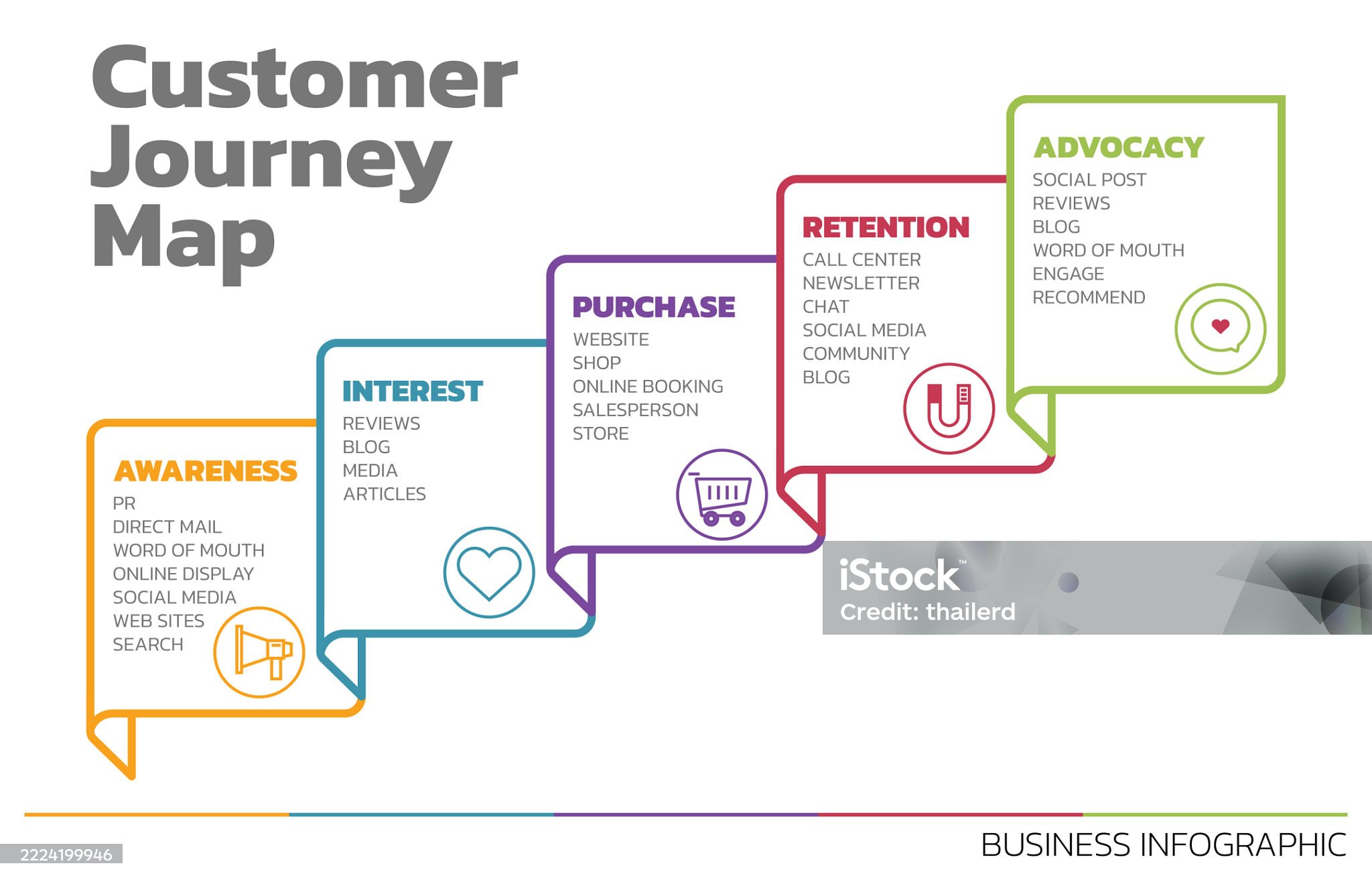
Illustration of Customer Journey Map. Customer Journey Map Showing Steps of Customers Buying Process. Vector Illustration. All in a single layer.

Illustration of 5 Ways to Well being. There are five steps you can take to improve your mental health and well being. Connect, Get active, Take notice, Learn, Give. Vector Illustration. All in a single layer.
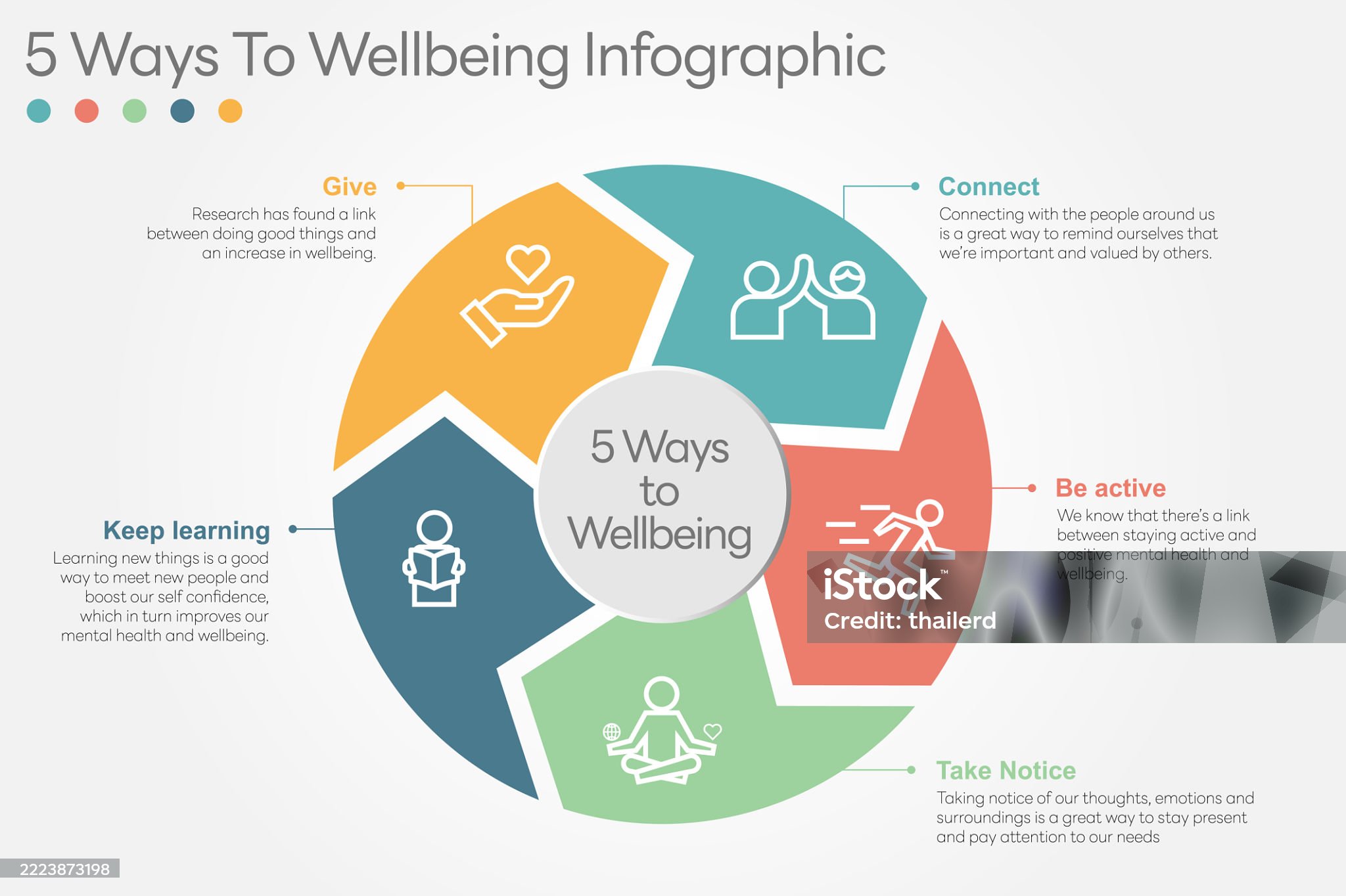
Illustration of 5 Ways to Well being. There are five steps you can take to improve your mental health and well being. Connect, Get active, Take notice, Learn, Give. Vector Illustration. All in a single layer.

Illustration of 5 Ways to Well being. There are five steps you can take to improve your mental health and well being. Connect, Get active, Take notice, Learn, Give. Vector Illustration. All in a single layer.
และนี่คือภาพกราฟิกชุดใหม่ประจำสัปดาห์ที่ 28 จาก Phuket Graphic House ซึ่งเราคัดสรรมาเพื่อเพิ่มประสิทธิภาพให้งานนำเสนอและรายงานของคุณ ไม่ว่าจะเป็นภาพ Illustration of 5 Ways to Wellbeing หรือ Customer Journey Map ล้วนถูกออกแบบมาให้สื่อสารได้ชัดเจนและใช้งานง่าย
หวังว่าภาพประกอบนี้สามารถช่วยให้คุณไปนำเสนอในรายงานได้ อย่าลืมติดตามบล็อกของเรา เพื่อรับชมภาพกราฟิกและแรงบันดาลใจใหม่ๆ ได้ในทุกสัปดาห์นะ
- กรกฎาคม 17, 2568
- 0 Comments